
Built for mobile notaries, Live Scan operators and apostille services
Online booking, deposits and a designed website for mobile notaries
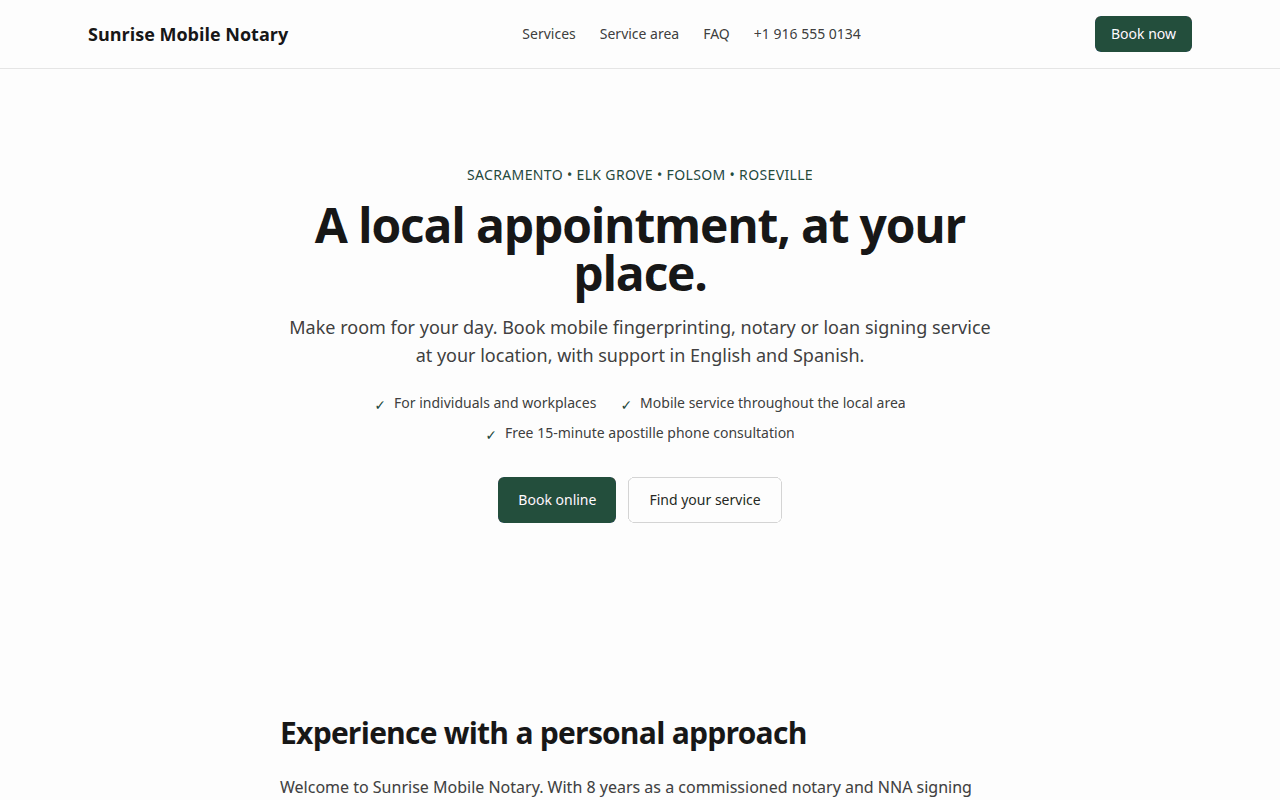
Customers pick a service, book an open time and pay a deposit into your own Stripe account. Answer a few questions about your business — only two are required — and NotaryBook designs the site for you, live the same afternoon.
- Free during early access — no card required
- Deposits land in your own Stripe account
- Your site at <yourname>.notarybook.linkedbits.net or your own domain
How it works
From signup to a live booking site in an afternoon
Step 1
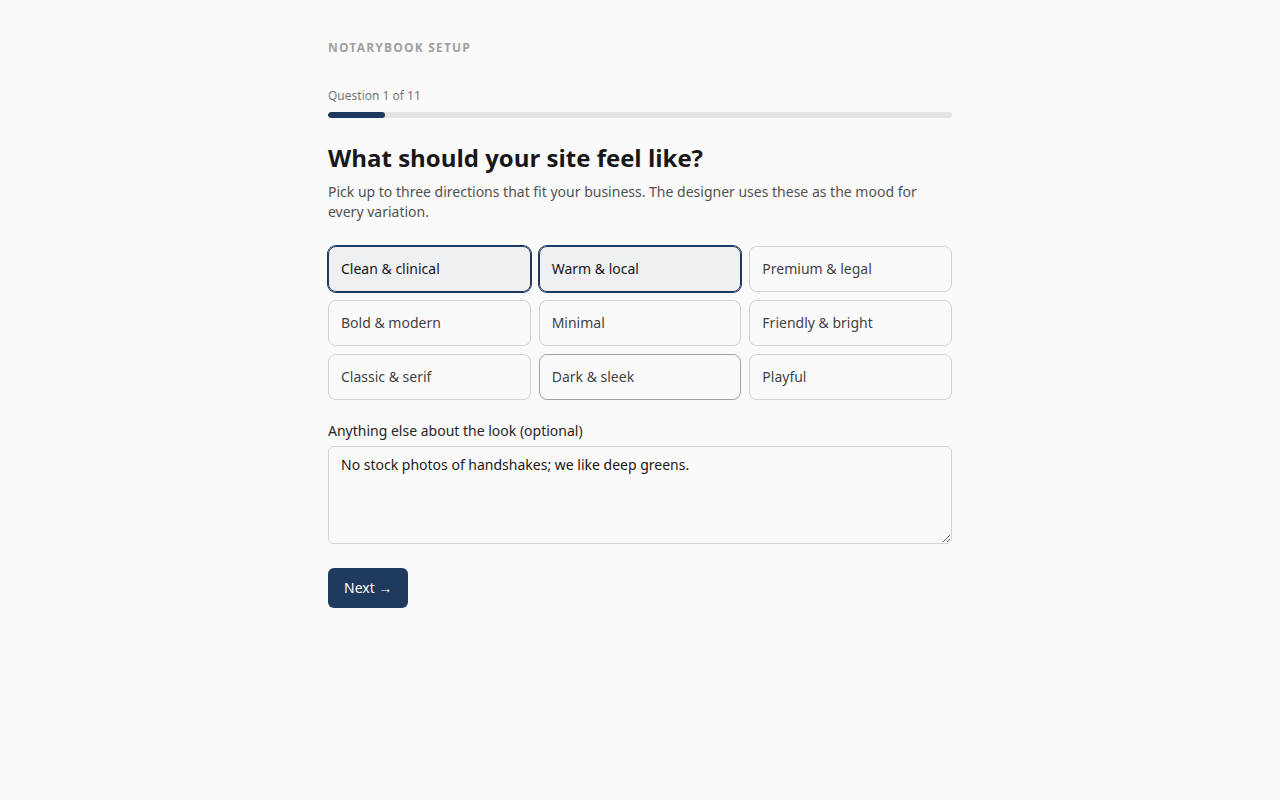
Tell us about your business
What you do and where, and the services you offer — those two answers are all we need. Add your service area, customers, look and tone if you like; skip the rest. Five minutes, resumable, editable later.
Step 2
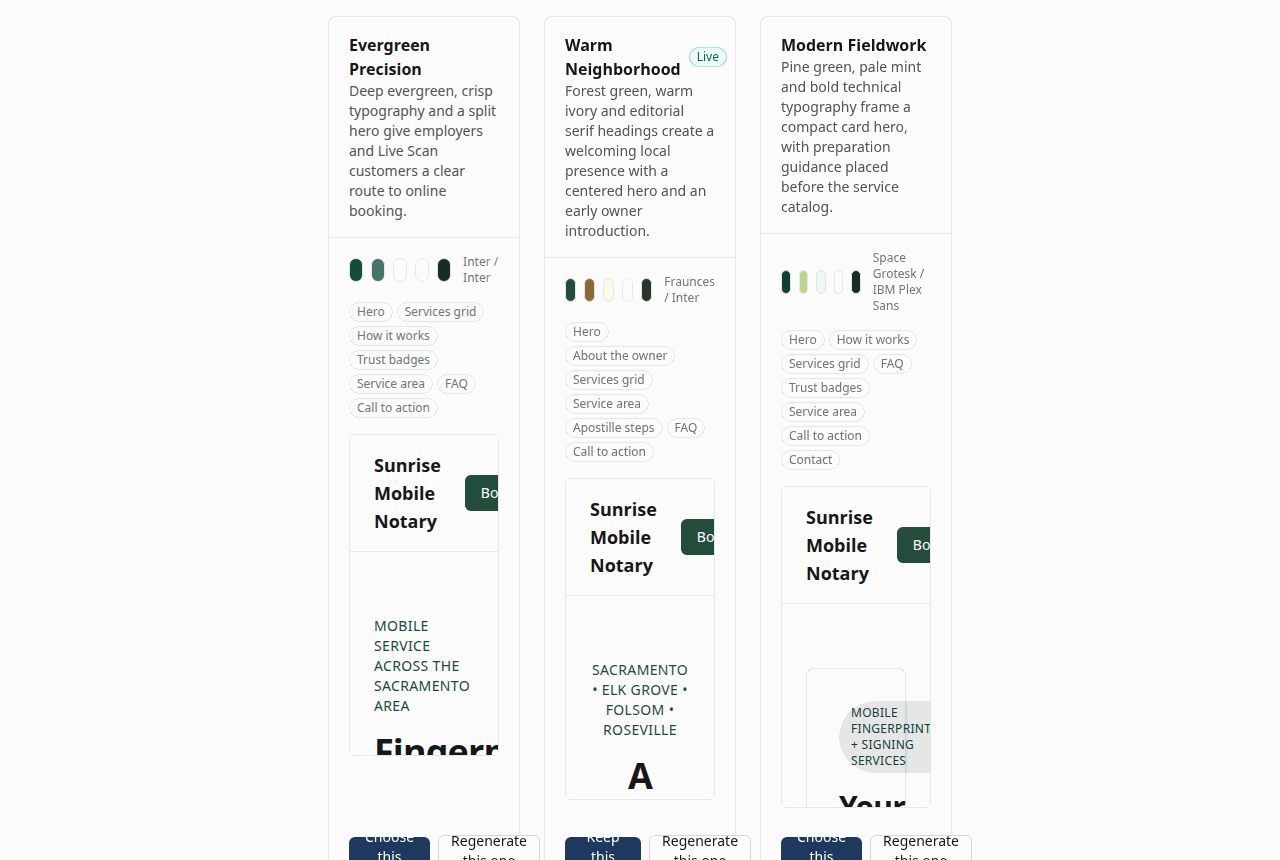
Pick one of three designs
Three complete sites, rendered live from your answers. Choose one, tweak a section, or ask for another round.
Step 3
Connect and publish
Confirm prices and hours, connect Stripe and Google Calendar, set notifications, publish. Your site is live on its own address.
What's included
Everything a mobile notary business needs
A designed website, not a template
Describe your business in your own words; get three complete designs to choose from.
Learn more →Online booking with deposits
Customers pick a service and a slot, pay a deposit or in full, and the slot is held.
Learn more →Money goes straight to you
Connect your own Stripe account; payouts and refunds stay under your control.
Learn more →Text confirmations and reminders
Confirmation on booking, reminders 24 hours and 2 hours before, a review ask afterwards.
Learn more →AI receptionist by text and phone
Answers after-hours questions, quotes prices from your own price list, and books.
Learn more →Apostille and Live Scan intake helpers
Customers upload the document or Live Scan form; the site works out what it is.
Learn more →Local SEO and AI-search ready
Service-by-city pages, structured data, sitemap and an llms.txt, generated for you.
Learn more →Review requests, listings and a weekly digest
Ask for reviews automatically, keep your business details consistent everywhere, see the week at a glance.
Learn more →Built for
Whichever part of the notary business you run
Different businesses have different needs — pick the one closest to yours.
Mobile notaries
A booking website for mobile notaries
You are on the road most of the day and the phone rings while you are notarising. NotaryBook takes the booking, checks it against your calendar and service area, collects the deposit and texts the customer the confirmation — while you finish the signing.
Read more →
Live Scan operators
Booking and intake for Live Scan and fingerprinting services
Every Live Scan appointment starts with the same questions: which agency, which ORI, which level of service, do you come to us. NotaryBook asks them on the booking form, reads the applicant's Request for Live Scan Service form to pre-fill the answers, and quotes group jobs for employers and schools.
Read more →
Loan signing agents
A professional site and booking page for notary signing agents
Signing services send the work, but direct bookings from escrow officers and lenders come from a site they found and trusted. NotaryBook gives you that site, and a booking page that turns a phone call into a confirmed appointment on your calendar.
Read more →
Apostille services
Take apostille orders from anywhere, with document pre-checks
Apostille is the one notary-adjacent service you can sell to the whole country. NotaryBook turns it into a remote order: the customer uploads the document, the site classifies it, checks whether it needs county-clerk certification first or a federal apostille, and takes payment up front.
Read more →
Get found
Get found by people — and by the AI that answers them
Most notary and Live Scan customers start with a search: “live scan near me”, “mobile notary Elk Grove”, “apostille birth certificate California”. NotaryBook publishes clear service, price and service-area pages, with structured data that helps search engines and AI assistants understand them.
01
A page per service per city
Every service you offer gets a landing page for each city in your service area, with real prices and a booking button.
02
Structured data everywhere
LocalBusiness, Service, Offer, FAQPage and BreadcrumbList schema on every page, so search engines can read your hours, prices and area, not guess them.
03
Readable by AI answer engines
A plain-text business summary and robots rules that welcome GPTBot, PerplexityBot, ClaudeBot and Google-Extended, so assistants can find your real prices and hours.
04
Automatic review requests
Completion emails and texts carry your Google review link. Review count and quality are among the local ranking factors Google documents, so asking every time matters.
05
Consistent business details
One name, address, phone and description, copied to every directory from the listings manager.
06
Analytics without cookies
Privacy-friendly Plausible analytics per site — no consent banner, no personal data.
Founding businesses
Built with our first business in Sacramento
CJIB Services in Sacramento — Live Scan, mobile notary and apostille — is the first business on NotaryBook. We are onboarding a small group of founding businesses by hand: you get direct help with setup, and your feedback shapes the product.
Pricing
Simple plans, free during early access
Every feature is included while we onboard the first businesses. See the pricing page for the full comparison.
Questions answered
What does NotaryBook cost?
Nothing during early access. Every feature is included while we onboard the first businesses. When plans launch, existing accounts keep a free tier for the website and booking; see the pricing page for the planned tiers.
Do I need my own Stripe account?
Yes — payments go through Stripe Connect on your own account, so deposits and full payments pay out to your bank on your schedule. Connecting takes about five minutes. Free services and quote requests work without Stripe.
Can I use my own domain?
Yes. Every business gets an address like yourname.notarybook.linkedbits.net immediately, and you can point your own domain at it once you are ready.
Which services can I offer?
Anything with a duration and a price: mobile notary, loan signings, Live Scan and ink-card fingerprinting (mobile or at your office), apostille and authentication orders by mail, group fingerprinting by quote, consultations. Each service has its own deposit rule and intake questions.
How does the AI receptionist know my prices?
It reads the same services, prices, hours and service area you configured in the admin. It cannot invent a price or a credential; when it is unsure, it hands the conversation to you with the transcript.
Is remote online notarization supported?
Not yet in California — RON is not operative until the Secretary of State's system launches. NotaryBook models notary work as in-person appointments and apostille as a remote, mail-in service, which matches what you can legally offer today.
What if I already have a website?
Keep it and link to your NotaryBook booking page, or move over: the generated site includes the SEO pages most notary sites lack, and you can redesign it at any time.
Where is my data?
On servers we run ourselves, with nightly backups. Customer contact details are used only for their bookings and reminders; analytics are cookie-free.
Put your booking site live this week
Sign up, answer the questions, pick a design. Free during early access.